Installing the custom firmware
You get the custom Matter firmware onto a stock AEH-W41H1 module by writing it to the module’s SPI flash with a CH341A programmer. The result is an uncertified Matter A/C you commission into Home Assistant.
New to the hardware? Read Hardware & Wiring first.
The module is fragile. Clip cycles and handling have killed modules by ESD. Work carefully, keep the A/C unplugged while clipped, and back up the stock flash before you write.
CH341A SPI clip
A direct write to the flash chip.
You need a CH341A USB programmer, a SOIC-8 test clip, the A/C opened, and the module out (or at least the flash reachable). The chip to clip is the 8-pin SPI flash:
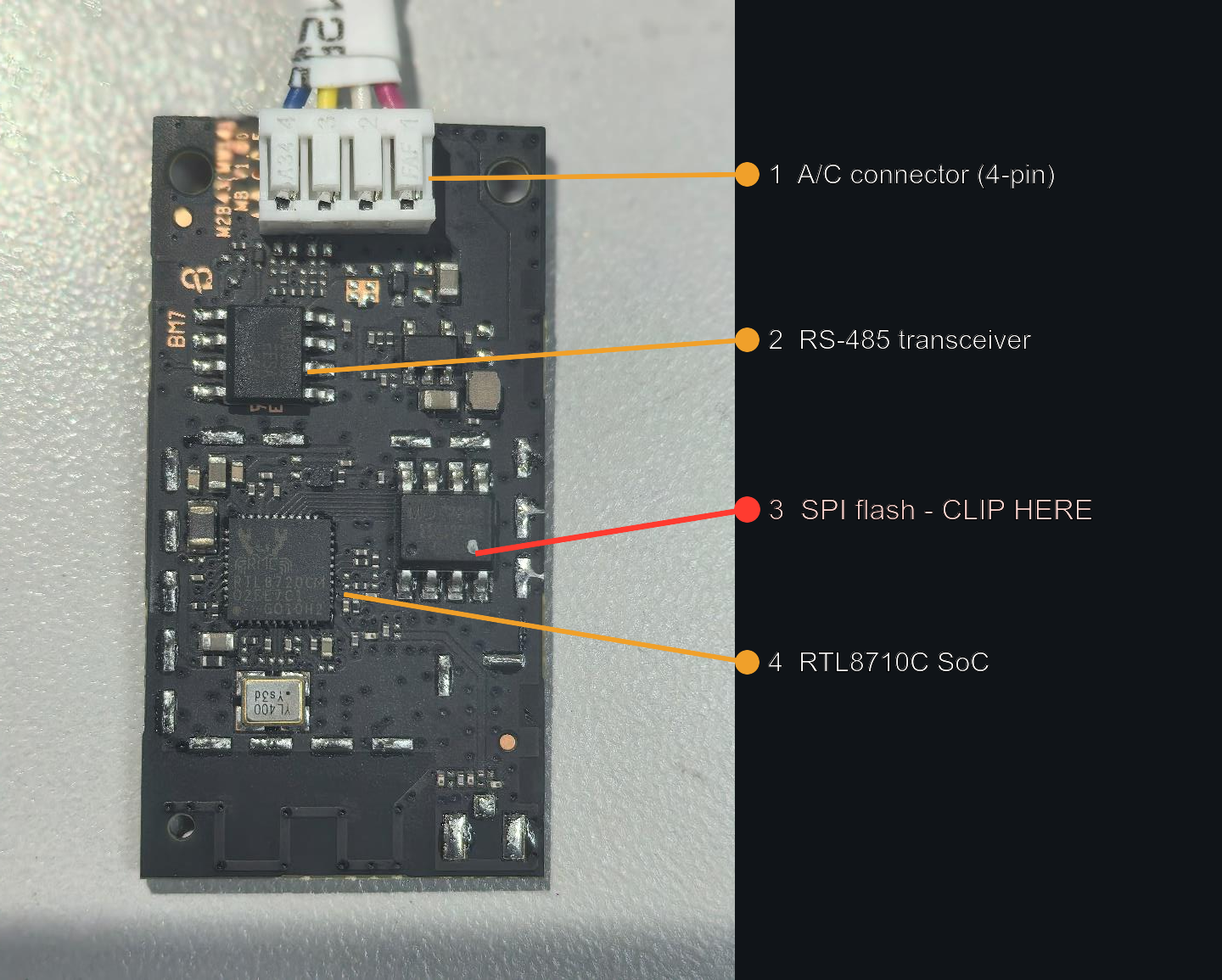
(RF shield removed. Photo: FCC ID 2AGCCAEH-W41H1, Internal Photos exhibit, public record.)
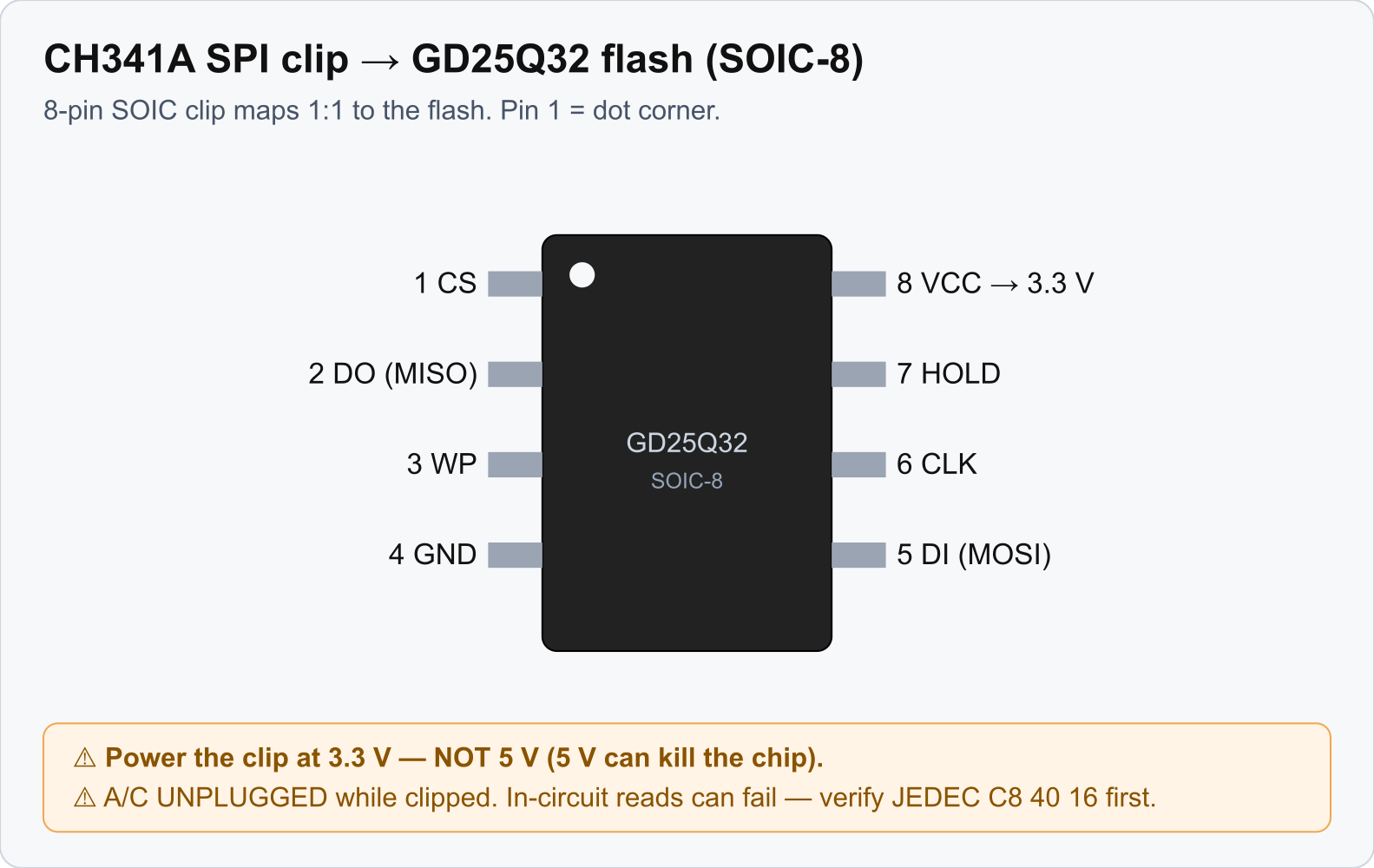
Wiring. The SOIC-8 clip maps 1:1 to the flash pins. Pin 1 is the dot/dimple corner:
Flashing. Use the project flasher. On this chip flashrom does partial writes with no error, so
avoid it:
firmware/flasher/ch341flash.py: region write0x0–0x140000. It preserves the Matter commissioning data stored higher in flash (0x2FF000+), so you power-cycle after the write with no re-commission.firmware/flasher/ch341flash-full.py: whole-chip write, for a first install or a full recovery. It erases commissioning data, so you re-commission afterward.firmware/flasher/ch341dump.py: back up the whole chip first. Dump before every write; that dump is your only way back to stock.
Write the flash_rac-integrated-*.bin image, unclip, power-cycle. Full detail lives in
firmware/docs/10-firmware-ota-procedure.md and Recovery & Reflash.
⚠ Power the clip at 3.3 V, never 5 V. ⚠ Keep the A/C unplugged while clipped. In-circuit reads can fail because the SoC contends the bus, so you may have to lift the flash chip.
After install
- Updating an already-custom unit is pure Matter OTA (see OTA Updates).
- Bricked it? Flash
flash_rac-stock-v1.binto return to stock (see Recovery & Reflash). - If the original module is dead, replace it with an ESP32 (see ESP32 Replacement Build). On that board you can flash the Matter firmware, or, if Home Assistant is your only controller, the ESPHome Build.